

Since launching the New Stay22 Hub, we’ve been listening closely to your feedback to understand how you’re using it day to day.
Some patterns in the feedback were clear (and fair): filtering didn’t always behave as expected, navigation could feel frustrating, and a few small things were adding unnecessary friction to everyday tasks.
So we focused on where things weren’t working the way they should and made improvements.
Here’s what we learned and fixed so far:
What’s Changed (Quick Recap)
“All Time” view is back [NEW]
→ see your full transaction history in one place
Table preferences are now saved [NEW]
→ your column setup stays the same every time you log in
More details visible in the table [NEW]
→ key fields now show full details without needing to hover
Table adapts better to your screen [NEW]
→ expand the table for more visibility on larger displays
Month filter now matches calendar months
→ no more mismatches when reconciling performance
Date filtering is clearer and faster
→ quickly select pre-set ranges instead of setting dates manually
Table navigation is easier
→ no more scrolling to the bottom to move sideways
Making the Table Work the Way You Do
In this next set of improvements we focused on making the transactions table more flexible, easier to work with, and better suited to your workflow.
“All Time” Is Back
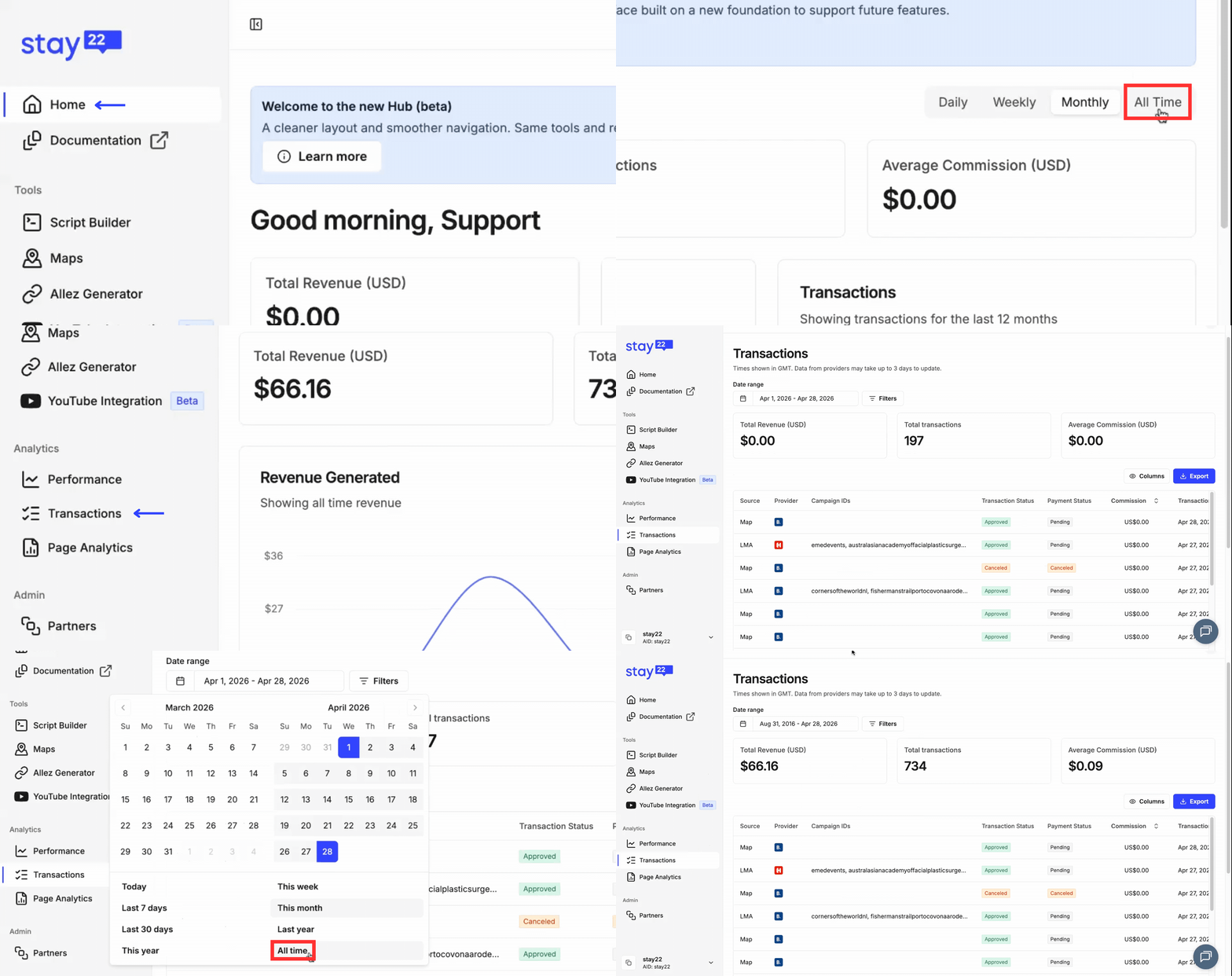
We heard this clearly. Sometimes you just want the full picture.
The “All Time” view is back, giving you access to your entire transaction history in one place.
You can access it from both the Home and Transactions pages:
- On the Home Page, select All Time in the top right
- On the Transactions Page, open the date range and choose All Time from the pre-set options
You don’t need to adjust date ranges anymore. With just one click you get a complete view of your performance from day one.
Your Table, Your Way
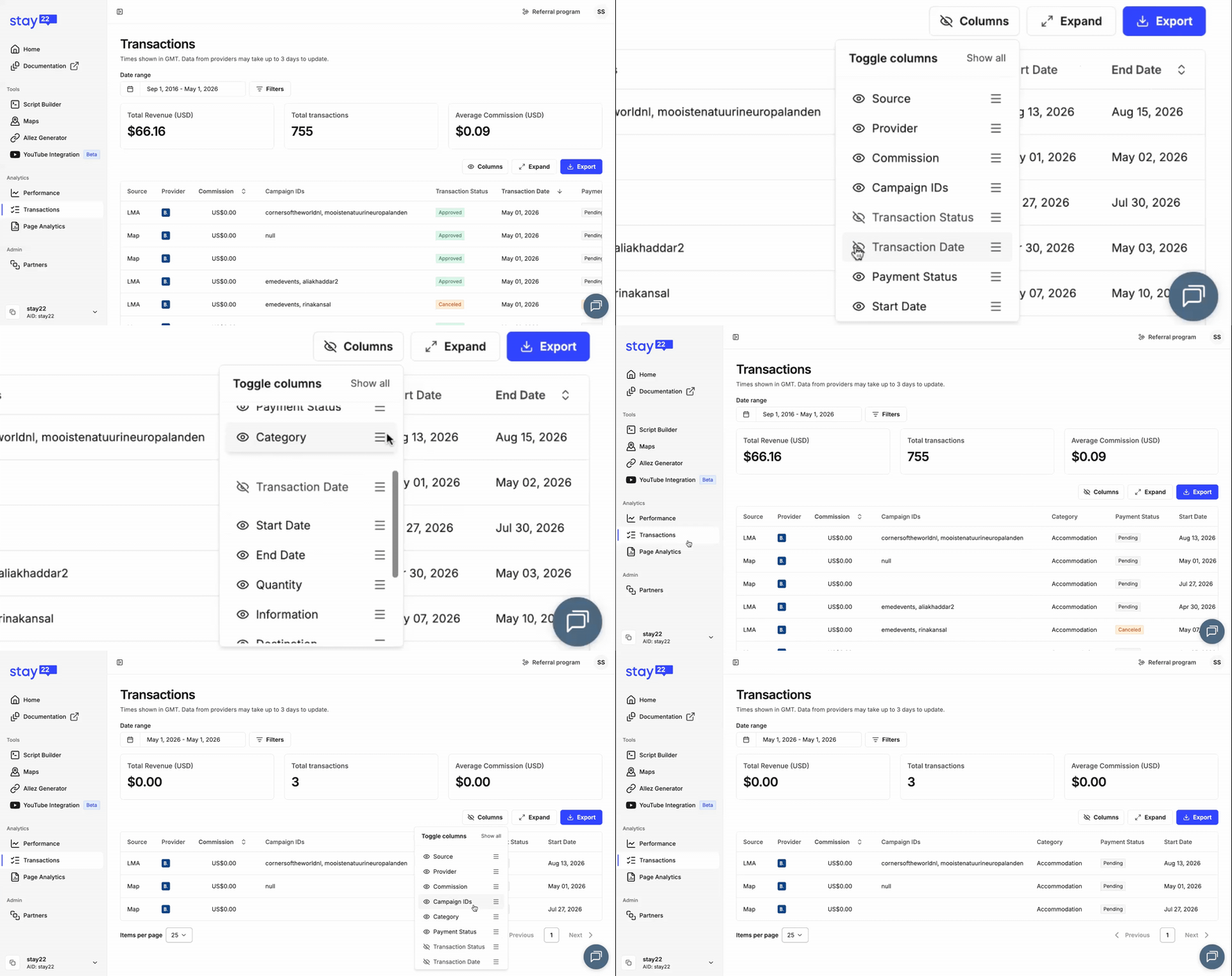
You can now rearrange your columns to match how you work.
Previously, any changes you made, like hiding columns, would reset when you left the page.
Now, your table preferences are saved.
Your setup stays the way you prefer it, so you can pick up right where you left off.
Tip: This is specific to your column preferences. Your calendar and filter settings will reset once you leave the page.
No More Hovering for Details
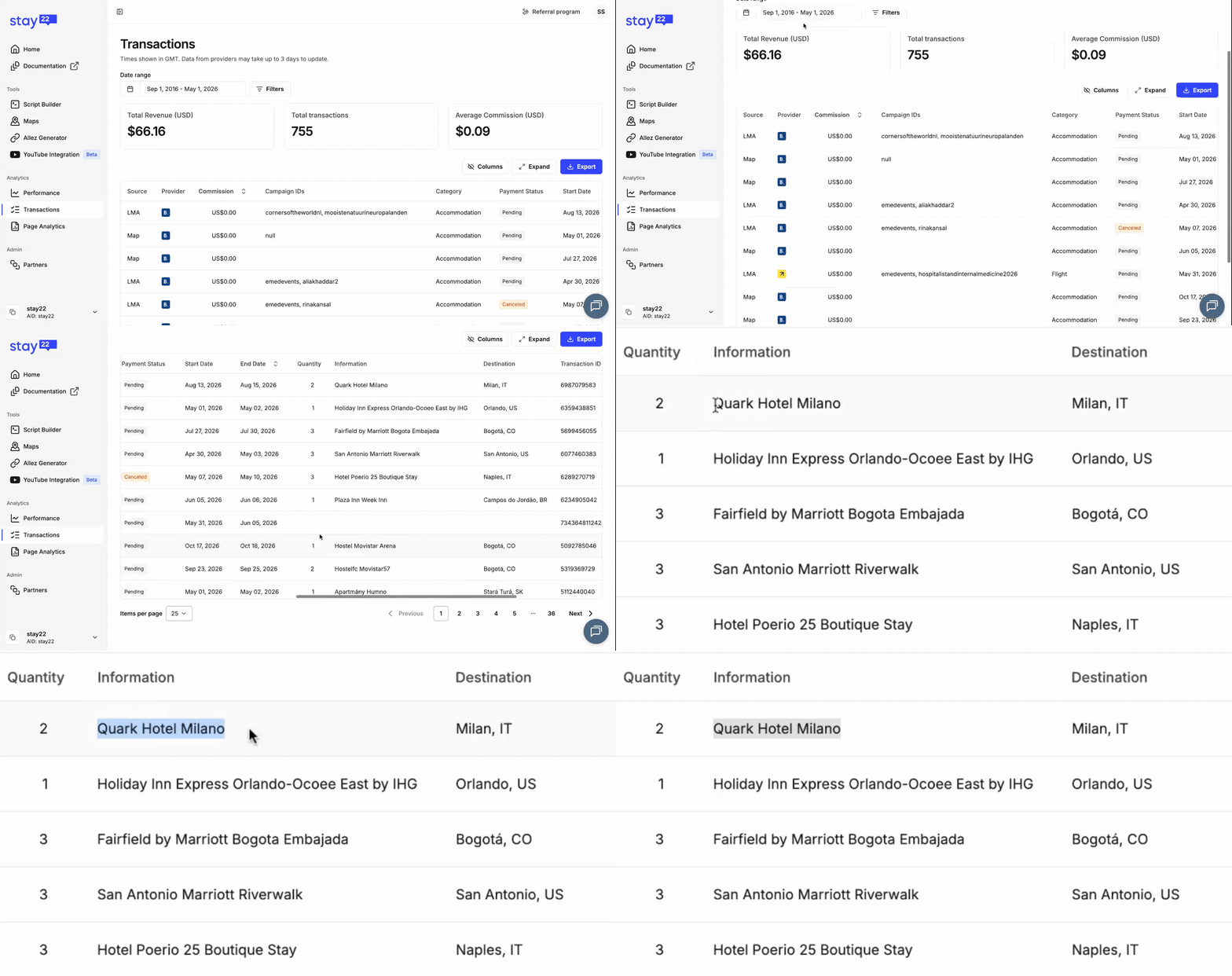
Important information should not be hidden behind a hover.
Key fields now show full details directly in the table, including longer entries like hotel names and location data.
No more hovering to see what matters. This makes it faster to scan and understand your data.
Make the Most of Your Screen
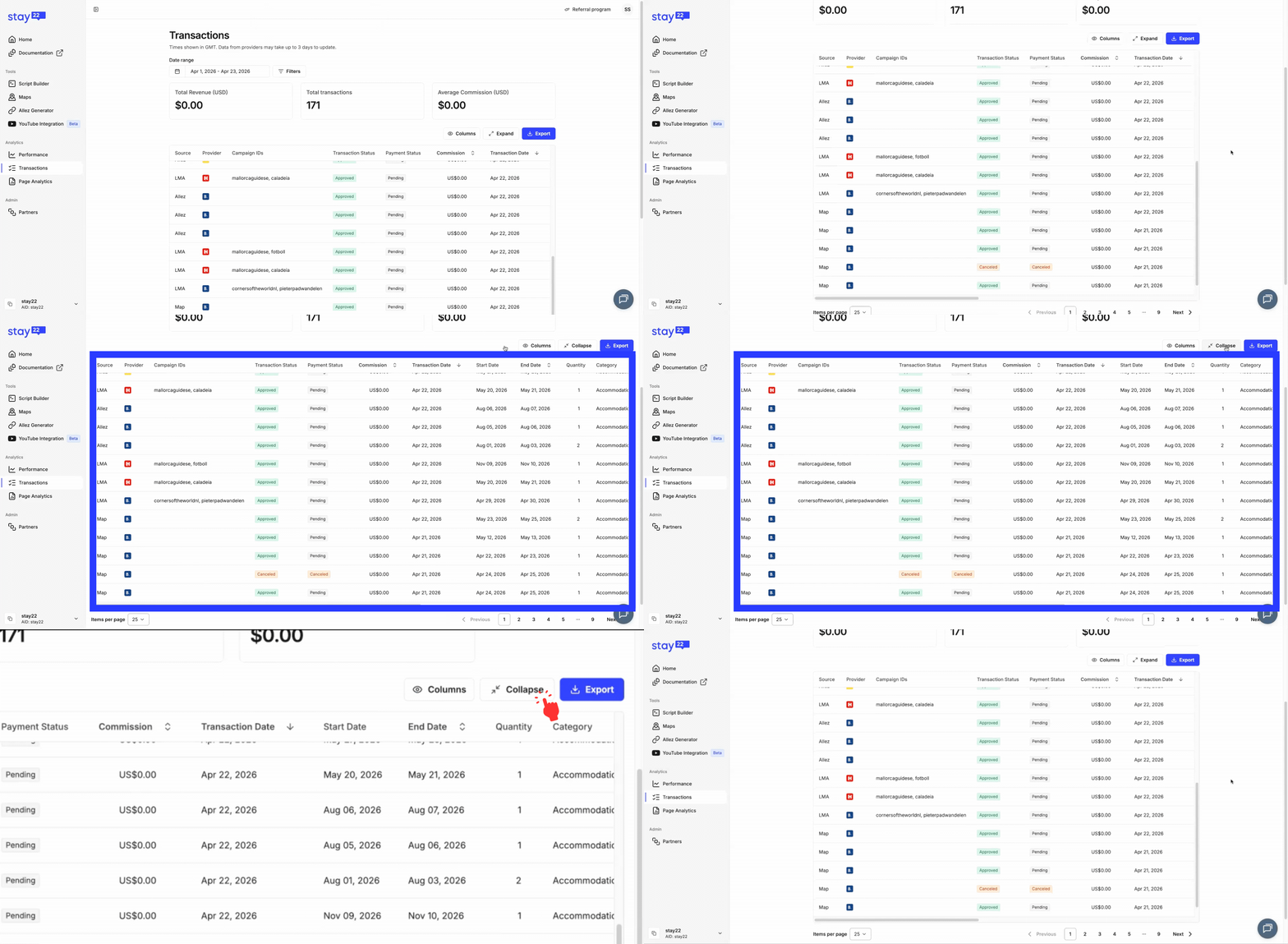
The table now adapts better to your screen.
You can expand it for more visibility, making it easier to work with large datasets, especially on wider displays.
You’ll see “expand” on the top right of your table view.
This gives you more room to work with your data.
Tip: This is for large displays.
Getting the Basics Right
These were some of the first improvements we made, focused on making filtering and navigation work the way you expect.
A Month Should Mean a Month
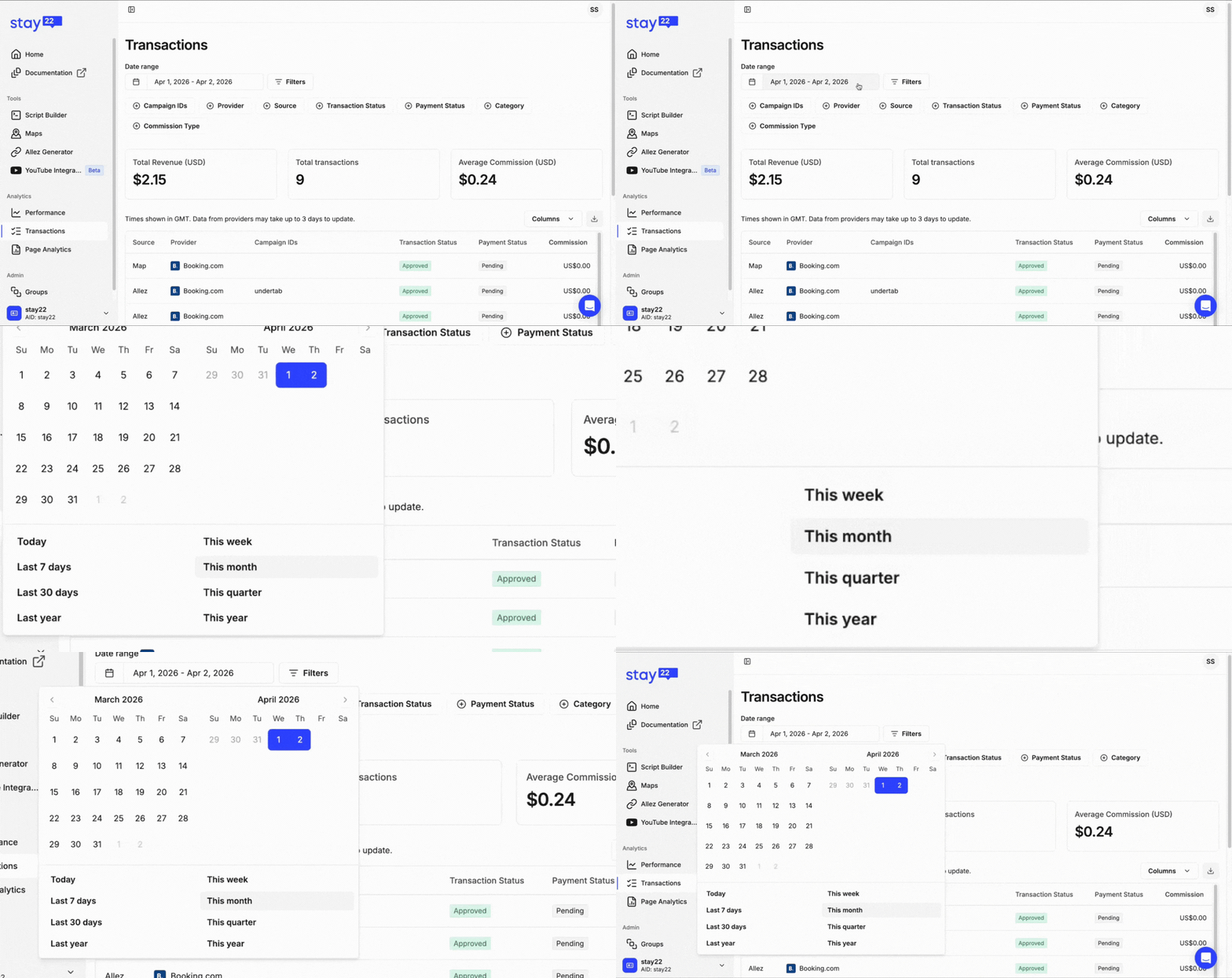
One of the biggest points of frustration was the “Month” filter.
Instead of showing a true calendar month, it returned a rolling 30-day window. That might sound minor but when you’re trying to reconcile performance, it makes a real difference.
Now, the filter aligns with the current calendar month, by default, just as you’d expect.
This eliminates mismatches in monthly reporting and ensures your numbers line up with how you actually track and reconcile performance.
Date Filtering, Without the Confusion
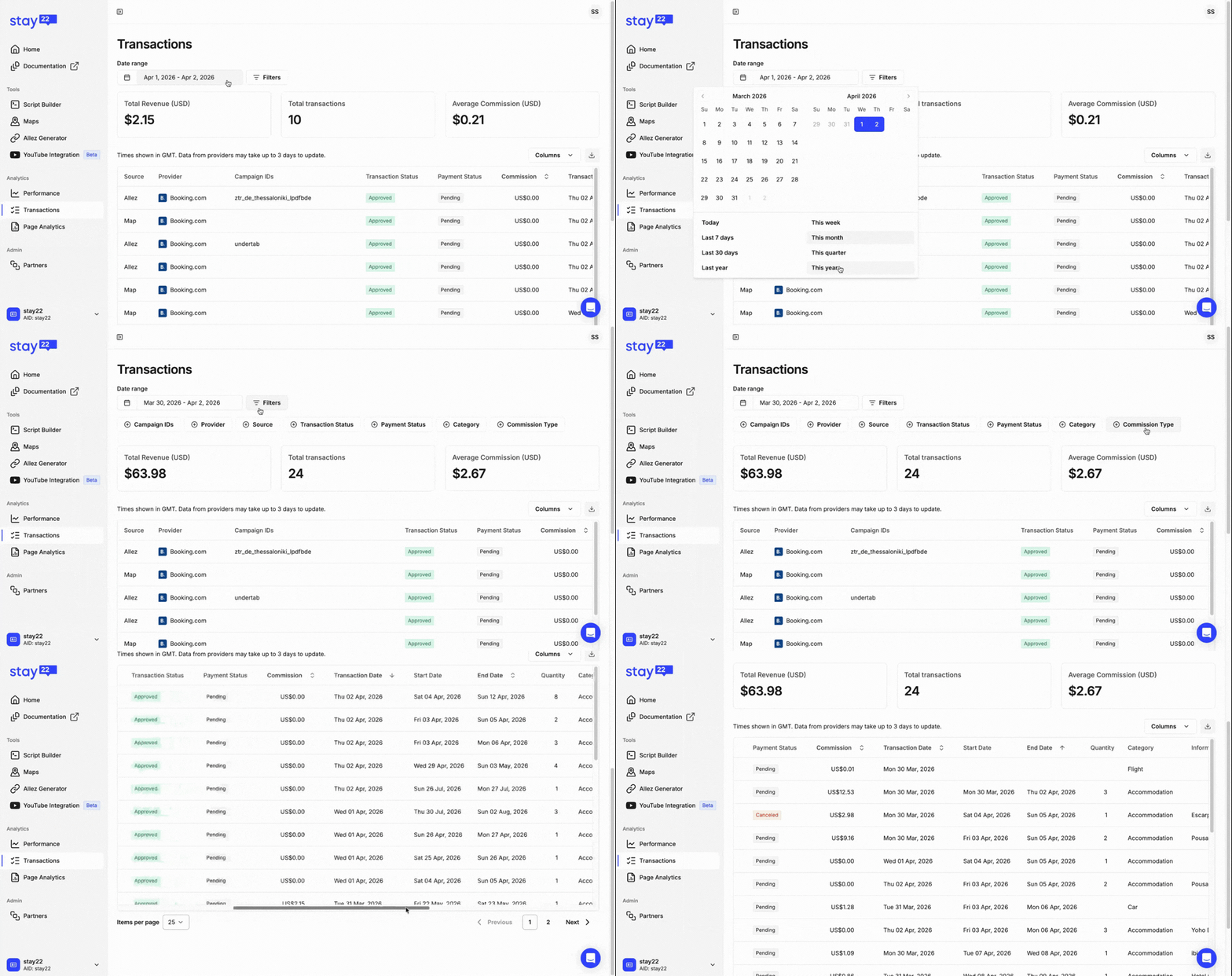
Filtering by date wasn’t as clear as it should be.
The issue wasn’t the functionality, it was the clarity.
We’ve updated the date range filter on the Transactions page to make filtering much more intuitive. When you click on it, you’ll now see pre-set time ranges you can quickly select from, making it faster to get to the data you need. You can still adjust the range if needed.
Keep in mind that the date filter is filtering for the Transaction Date.
Tip: For more advanced filtering, click on Filters next to the date range to customize how your bookings data is displayed.
Scrolling That Doesn’t Slow You Down
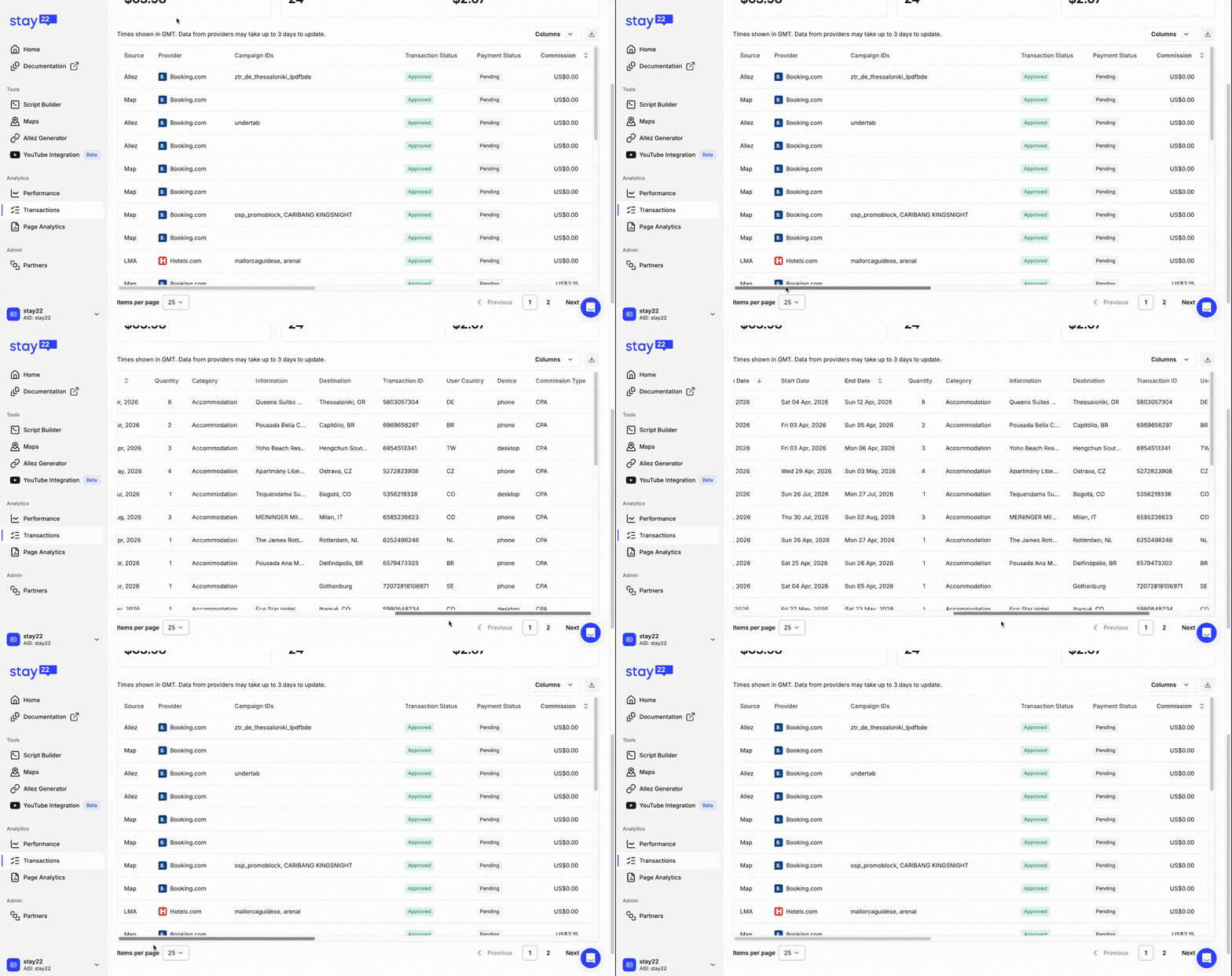
Previously, accessing the horizontal scrollbar meant scrolling all the way to the bottom.
We fixed that.
Now, the bookings table includes:
- Sticky headers, so you always know what column you’re looking at
- A fixed-height layout, so the horizontal scrollbar is always within reach
It’s a small change that makes a big difference when working with large datasets.
Tip: You can also adjust your device or trackpad settings to make horizontal scrolling easier and faster to navigate.
What We’re Looking at Next
We’re continuing to focus on making the Hub faster, clearer, and easier to use.
This includes improving how key performance metrics are surfaced, as well as refining the overall experience so you can navigate, filter, and find what you need with less effort.
Our goal is simple: help you get to the right insights, faster.
Keep the Feedback Coming
Every update here came directly from partner feedback and that’s exactly how we’re continuing to prioritize what comes next.
If something feels confusing or slows you down, we want to know. You can reach out to support@stay22.com anytime.
The Stay22 Hub should feel effortless to use and we’re not stopping until it does.